01 / GET HANDS-ON
Flip the switch.
See the science.
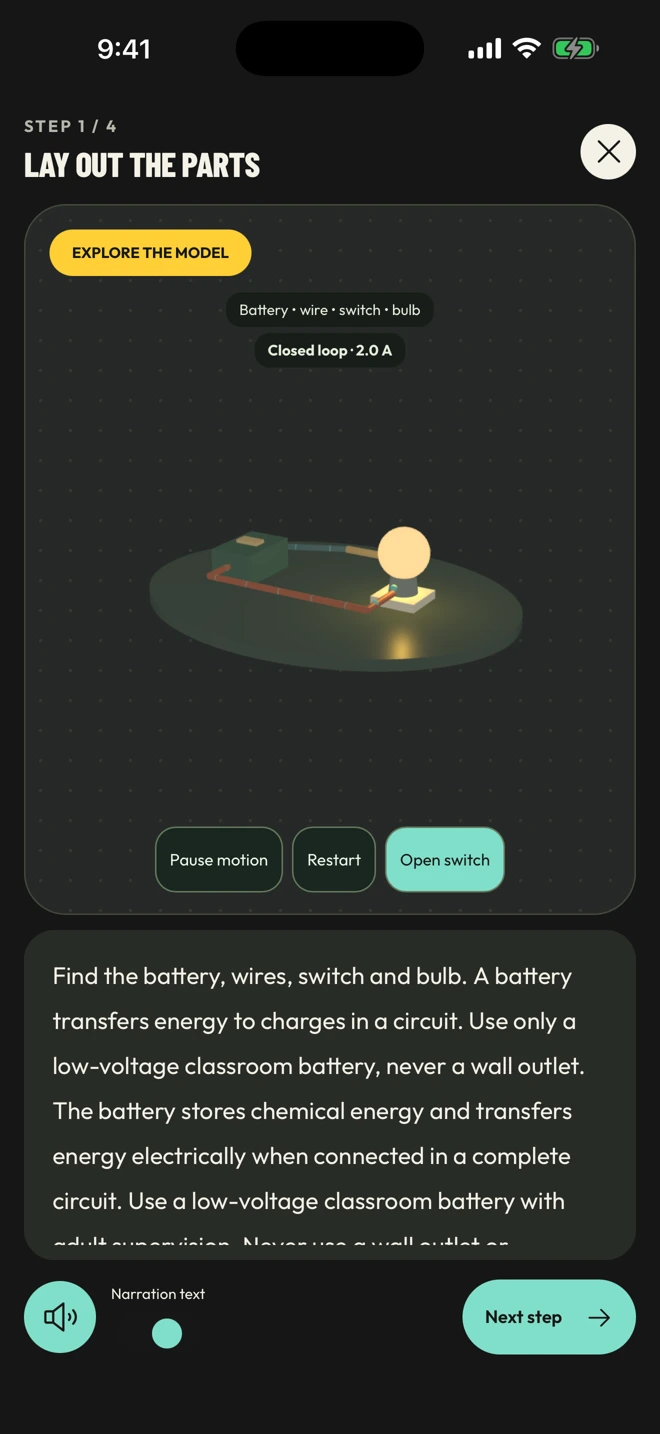
Rotate the model, explore in fullscreen and try the controls. Watch your experiment respond.
 STEM Lab.
Why does a pendulum swing? What makes a bulb glow? Turn your questions into discoveries with interactive 3D science labs.
Start exploringExplore in your browser. Mobile store listings coming soon.
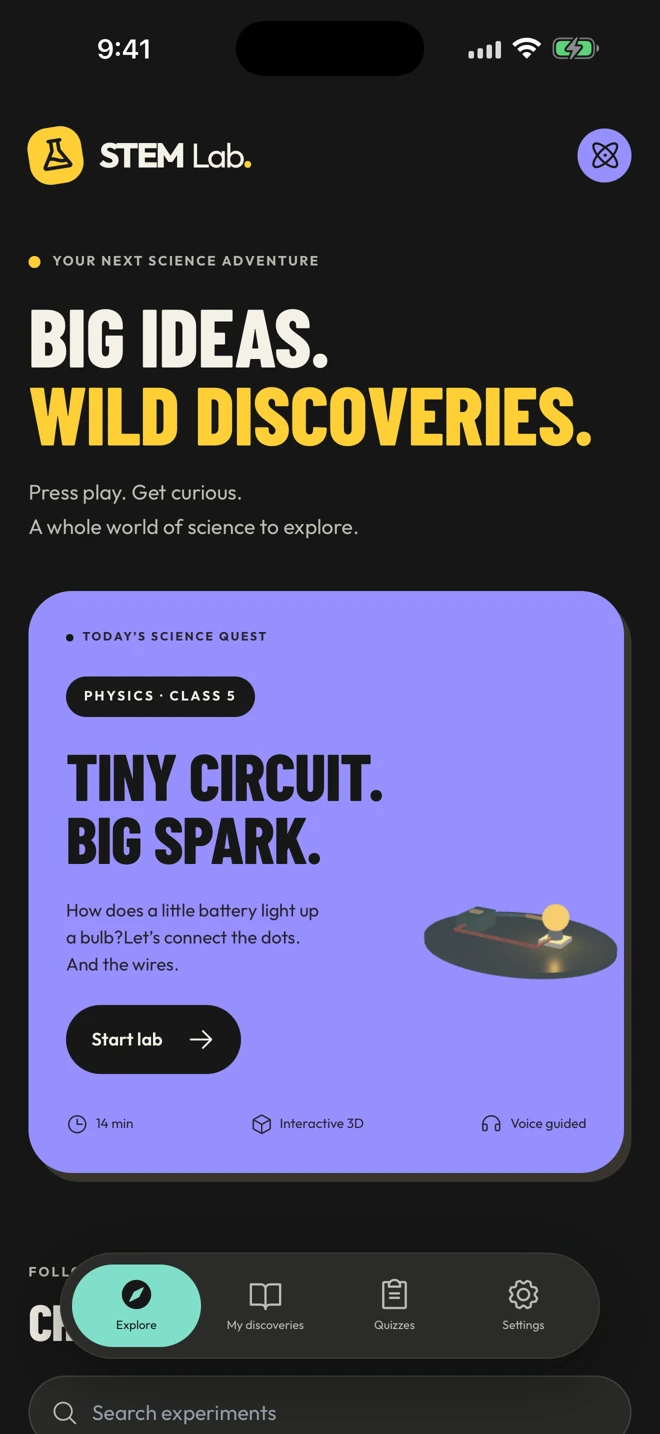
See the idea. Change something. Notice what happens. Every lab makes room for curiosity.
Rotate the model, explore in fullscreen and try the controls. Watch your experiment respond.
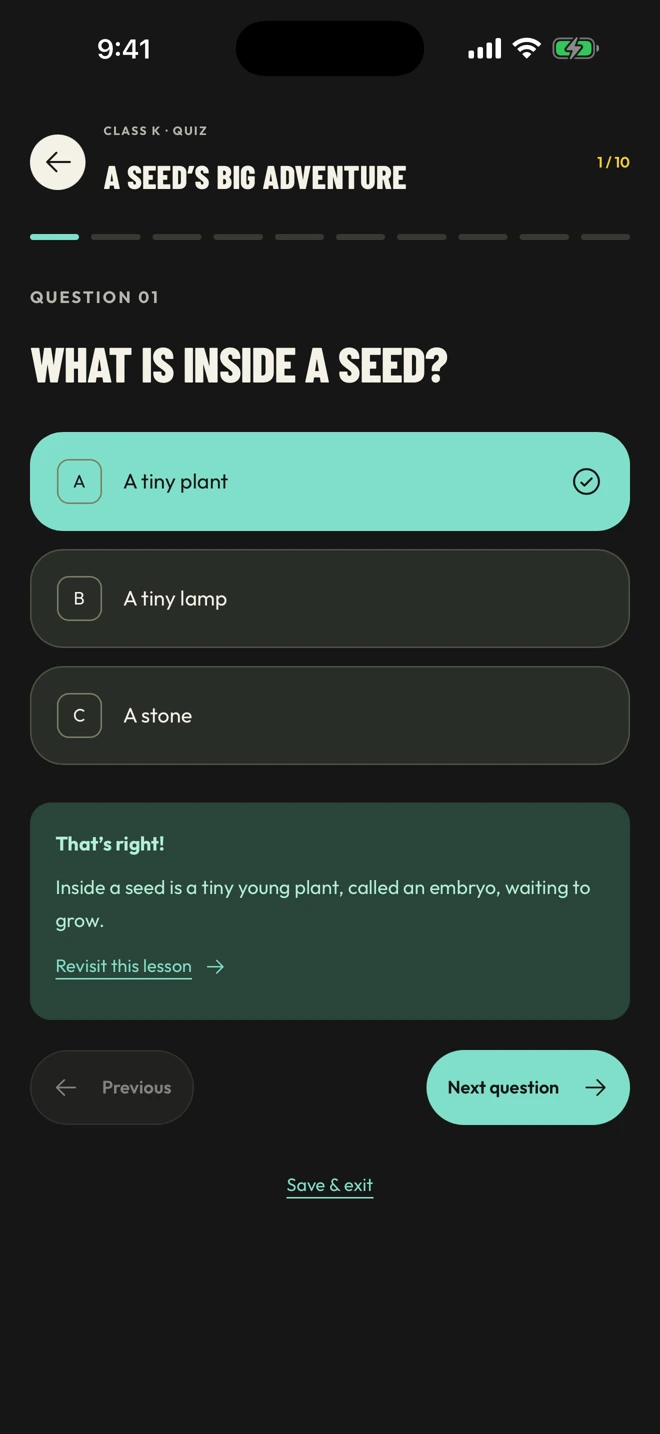
Ten questions per lab, helpful feedback and a way back to the lesson. Save your place whenever you need a break.
From a seed’s first root to Earth’s journey around the Sun. Find your next experiment by class or topic.
Finished a lab? Test what you discovered. Need a break? Your unfinished quizzes stay ready for you on the same device.
Guided explanations include optional voice narration, highlighted words and controls to move at your own pace.
Find your first lab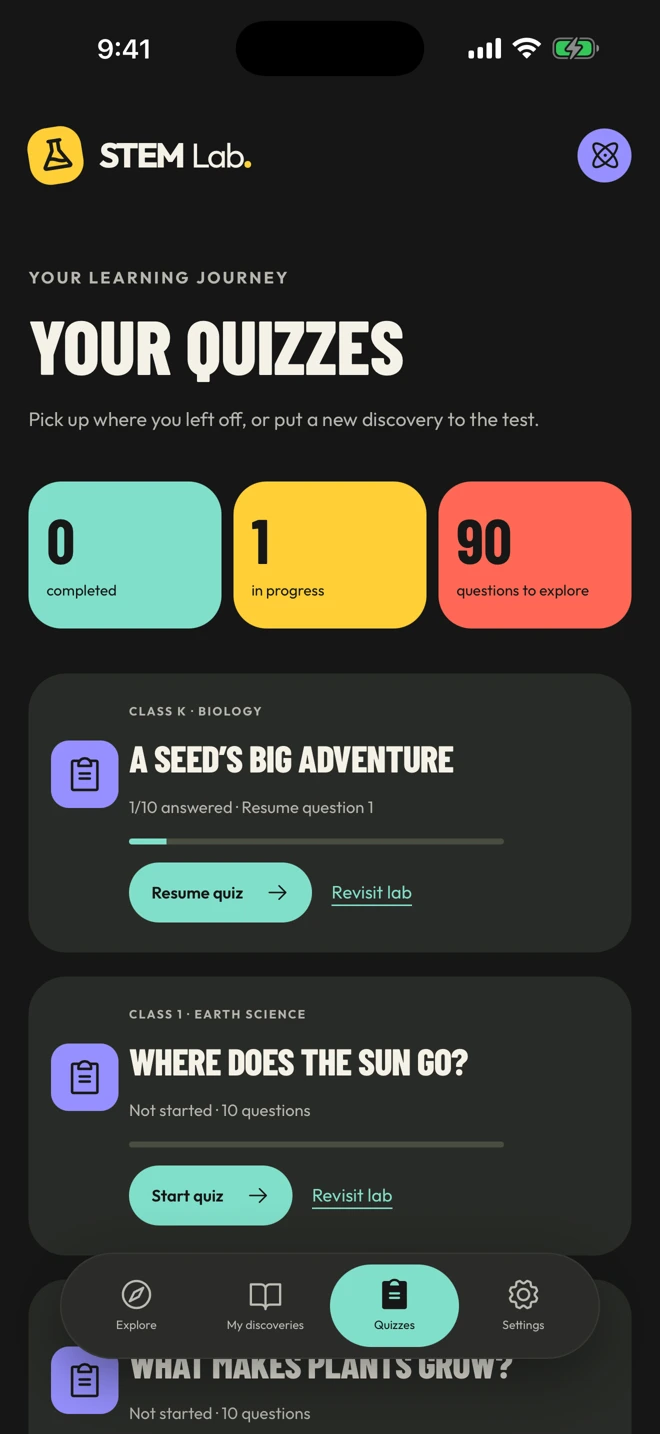
The current collection is organized from Kindergarten to Class 8. Younger students can explore with a parent or teacher. The class labels help you browse; they do not claim alignment with a particular curriculum.
Yes. Settings → Voice guidance controls automatic narration. The lab also has playback controls, and fullscreen mode includes a speaker control and a narration-text toggle. The voice is AI-generated.
Yes, on the device and browser where you use the app. It does not automatically sync to other devices. Clearing app or browser data can remove it.
No equipment is needed to explore the simulations. If you try an experiment in the real world, ask an adult and follow the lab’s safety guidance.
Voice narration needs an internet connection. If it is unavailable, you can still read the explanations in the installed app.
A whole world of science is waiting.